
Seller inventory
Keep active listings, draft stock, reserved orders, hub intake, returns, relist choices, and repair work in one seller view so inventory feels controllable at scale.
Inventory repair starts with the missing proof
Rows can point directly to the needed photo, condition note, accessory count, serial area, certificate, or hub check instead of showing a vague warning.
Published examples stay connected to their next seller task
Items added from listing studio appear here with source, proof, handoff, and next-step context so the seller can continue to dashboard, order prep, or shelf review.
Repair queue
Open listing studio
Inventory rows name the missing proof
Each blocked or draft item points to the exact evidence needed before it can be featured, relisted, or moved into fulfillment.
01
Signed card lot
Needs certificate area, back photo, and corner close-ups before auction review.
Trading Cards
02
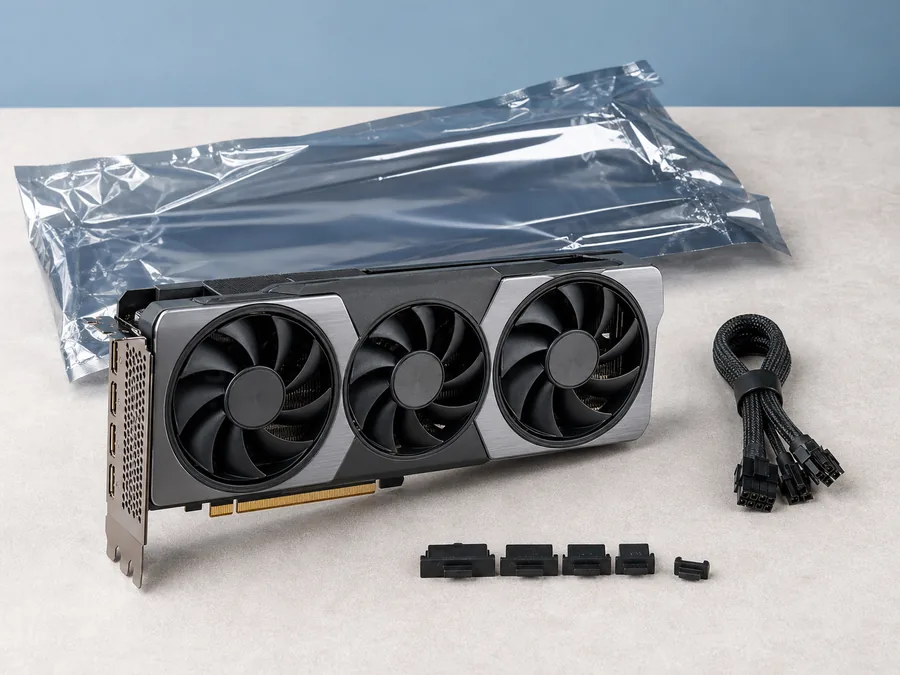
Creator graphics card
Needs serial area, port photo, power-on note, and packing proof.
Electronics
03
Retro handheld order
Needs final accessory count and pickup-release note before seller release review.
Order Proof
SKU and Variant Control
- Inventory rows show SKU, item title, category, condition, quantity, storage location, and current listing state.
- Variant groups separate size, color, grade, sealed state, accessory count, and bundle contents from true quantity.
- Duplicate SKU, reused photo, certificate mismatch, and title-image mismatch warnings stay close to the row.
Quantity States
- Available, reserved, hub intake, sold, returned, blocked, and repair-needed items use separate counts.
- Reserved stock shows linked order, accepted offer, auction close, pickup window, or cart review state.
- Quantity changes show seller note, affected listing, buyer impact, and review status before publishing.
Draft and Repair Queue
- Drafts surface missing photos, weak titles, condition gaps, unsupported handoff choices, and category-specific fields.
- Repair cards can open listing studio, catalog quality, media evidence, or hub item checks based on the issue.
- Rows blocked from buyers explain the fix needed before they can appear in search, category pages, or storefront shelves.
Hub Intake Routing
- High-value, bulky, fragile, proof-light, or local pickup items can be routed to a hub before buyer visibility.
- Hub rows show accepted category, intake checklist, condition notes, photo needs, packing preference, and release owner.
- Rejected intake creates a seller repair path instead of silently hiding the item.
Relist and Closeout
- Sold, expired, cancelled, or returned items show relist options, similar item suggestions, and required proof refreshes.
- Auction closeout keeps reserve status, final bid, next action, report hold, and buyer follow-through beside the item.
- Returned inventory shows whether the item can be relisted, needs hub review, or should stay unavailable.
Owner Approval
- Owners should approve SKU rules, variant handling, quantity edits, hub routing, relist limits, and seller-facing repair language.
- Business seller teams need role limits for bulk quantity changes, publish controls, destructive edits, and hub rerouting.
- Launch review should confirm inventory states match buyer search, seller dashboard, checkout review, and support records.

Seller Dashboard
Inventory, offers, auctions, orders, reports, returns, and analytics.

Seller Automation Rules
Relist rules, price guardrails, offers, inventory alerts, auction closeout, hub routing, and review state.
Inventory Import
Column mapping, category templates, repair controls, and publish review.
Bulk Listing
Batch drafts, reusable templates, photo requirements, and bulk actions.
Listing Studio
Draft builder, media prompts, pricing guidance, handoff choices, and publish review.
Catalog Quality
Required attributes, variants, duplicate checks, proof rules, and repair priority.

Hub Item Checks
Category proof, condition notes, serials, certificates, and hub custody.

Seller Orders
Order queue, packing proof, pickup release, cancellations, reports, and holds.

Business Seller
Team access, approvals, bulk operations, finance review, and service commitments.
Current demo state
Inventory control is represented as a seller review surface.
The demo shows SKU rows, variants, quantity states, draft repair, hub routing, relist choices, and approval needs using guided seller data.
Future platform state
Launch-ready inventory needs account-linked controls.
A launched marketplace needs persistent stock records, media storage, event logs, team permissions, buyer-visible availability updates, support history, and rollback controls.